 AVDR
Guia do mapa
AVDR
Guia do mapa
Como usar (leia antes)
O que é. A Higgsfield é um site que reúne dezenas de geradores de vídeo (Veo, Kling, Seedance e outros) numa conta só. Ela tem uma ferramenta de terminal, a CLI, e o Claude Code sabe usar essa ferramenta. Ligando os dois, você pede em português ("gera 8 segundos desta foto com o Veo, em 9:16") e o Claude escolhe o modelo, mostra o custo, gera, baixa e confere. Serve para qualquer personagem, produto ou cenário: os prompts abaixo usam o personagem do canal só como exemplo de prompt travado.
O que não é. Não é mágica nem é grátis. Cada geração paga consome créditos do plano; o plano Plus vem com 1.000 créditos por mês. Em 18/09/2026, 8 segundos custavam: Veo 3.1 (a rota mais fiel) 58 créditos, Kling 3.0 Pro 14, Seedance 2.0 72. As gerações "ilimitadas" e as grátis valem só dentro do site, não pela CLI.
A regra que segura o custo. Antes de gerar, pedir o custo. Antes de aprovar, olhar a folha de quadros. Nada vai pro ar sem o seu OK.
Passo 1: instala e loga
No terminal (precisa do Node.js instalado):
npm i -g @higgsfield/cli
higgsfield --version
higgsfield auth login
higgsfield account status
O auth login abre o navegador; você aprova e volta ao terminal com "Successfully authenticated." O account status mostra o plano e o saldo.
Passo 2: dá as skills ao Claude Code
Skills são manuais que o Claude lê antes de agir. A Higgsfield publica as dela:
npx skills add higgsfield-ai/skills
Depois disso, dentro do Claude Code, é só pedir. O pedido que eu uso:
Lê o catálogo de vídeo da Higgsfield, me diz quanto custam 8 segundos em 9:16 no Veo 3.1 a partir da foto foto.png com o prompt do arquivo prompt.txt, e só gera depois do meu OK.
Passo 3: lê o catálogo e escolhe por tarefa
higgsfield model list --video
higgsfield model get veo3_1
Em 18/09/2026 a lista tinha 35 modelos de vídeo. Como eu escolho:
- Quadro do gancho, personagem fiel à foto:
veo3_1(variantveo-3-1-preview, qualityhigh). Foi o mais nítido e o mais fiel no meu A/B. - Cena de apoio, coreografia, custo baixo:
kling3_0(modepro, soundoff). 14 créditos; imagem mais macia e às vezes inventa (um portal, uma mão a mais). - Movimento amplo de câmera:
seedance_2_0(1080p, std). Gesto mais frouxo no meu teste; caro.
Passo 4: mostra o custo antes de gerar
O mesmo comando de gerar, com cost no lugar de create, devolve o preço sem gastar:
higgsfield generate cost veo3_1 --start-image foto.png --prompt "$(cat prompt.txt)" --aspect_ratio 9:16 --duration 8
Passo 5: gera a partir da foto, com o prompt travado
higgsfield generate create veo3_1 --start-image foto.png --prompt "$(cat prompt.txt)" \
  --aspect_ratio 9:16 --duration 8 --wait --json > job.json
O --wait segura o terminal até terminar e o JSON traz a URL do MP4 (result_url); baixe com curl -o cena.mp4 "<url>".
Prompt travado quer dizer: o mesmo bloco fixo em toda geração, e só a ação muda. Um bloco fixo de exemplo (o do personagem do canal; troque a descrição pela do seu personagem, produto ou cenário). A imagem de partida usada nos exemplos está aqui: baixar a foto de partida (PNG 9:16).
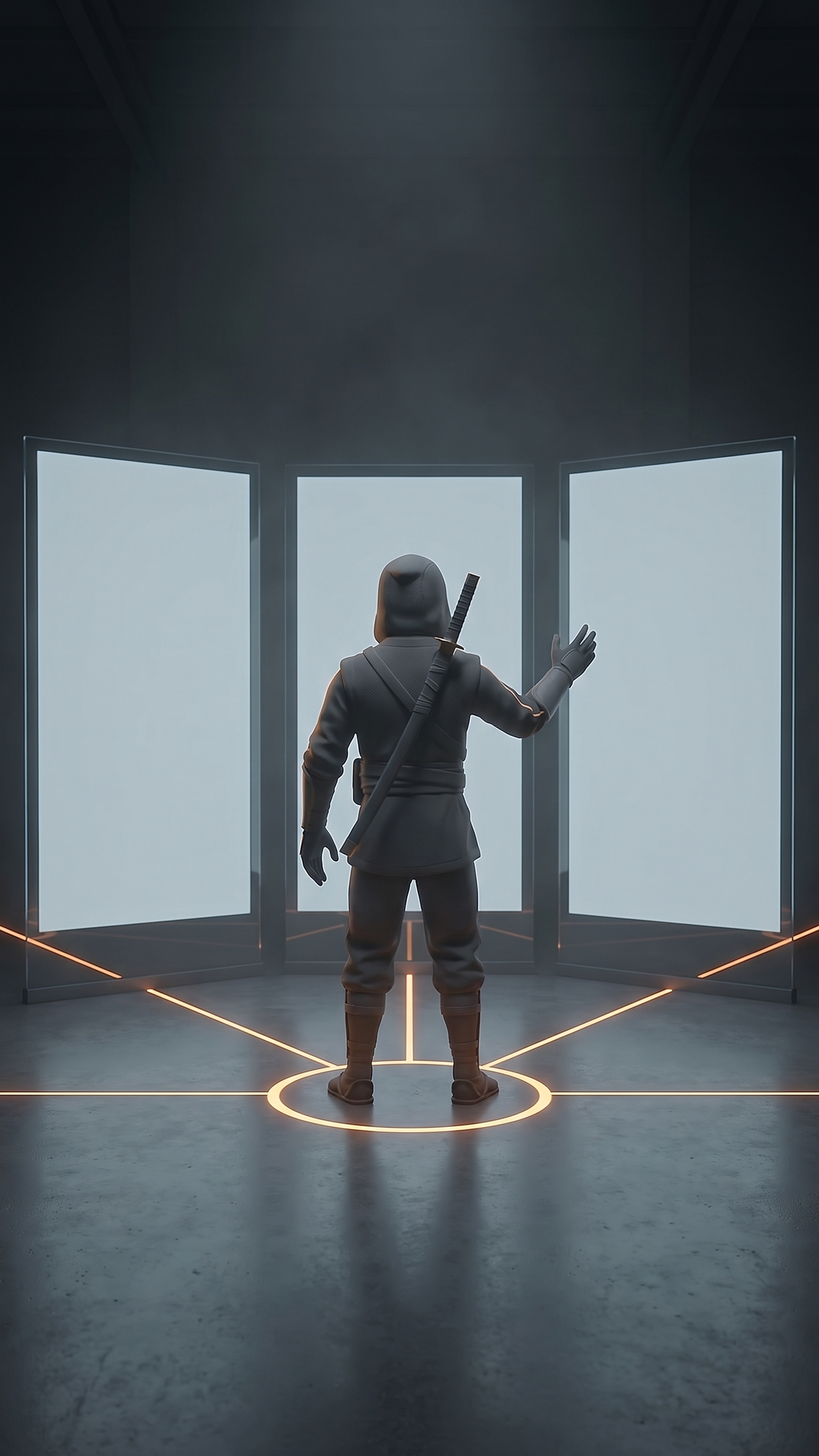
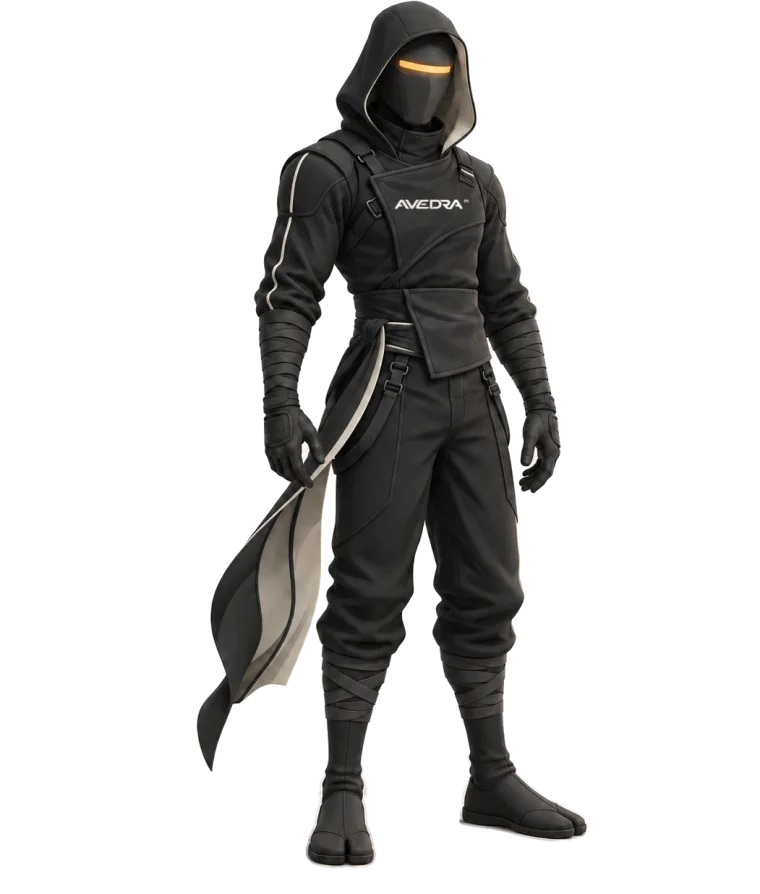
Continue the supplied frame as a high quality stylized 3D film, 9:16, one continuous shot. Preserve the EXACT graphite-and-amber ninja: sealed rigid faceplate with one amber strip, no eyes, no mouth, hood in place, one sheathed sword on the back, exactly two arms and two hands with five fingers. He keeps his back to the camera the whole time, three-quarter from behind at most; the faceplate never turns to the viewer. The three tall glass panels stay matte, blank and unlit until the last frame: no text, no symbols, no interface, no glow, no door, no portal. The amber ring on the floor is the only light that can change. Motion starts on frame 0, no fade-in, no idle pose, no camera cut.
Negativo (cole no campo "negative prompt" quando ele existir):
face, eyes, mouth, skin, turning toward camera, front view, third arm, extra hand, extra fingers, bent sword, two swords, text, letters, numbers, symbols, interface, glowing panel, portal, door, hologram, light burst, lens flare, camera cut, fade in, black frame, slow motion, blur, extra person, logo, watermark
Troque "ninja" pelo seu personagem ou produto e mantenha a estrutura: o que preservar, o que não pode aparecer, e a ação em uma frase com tempo.
Os prompts de ação (cole depois do bloco fixo)
01 · Mão ao painel, punho fecha, anel acende (o que venceu no Veo)
Action, 8 seconds: the camera pushes in slowly from a wide shot to a medium shot while the ninja raises his right hand, open palm, toward the center panel; at the top of the gesture he closes the hand into a fist and the amber ring on the floor brightens once, then holds.
02 · Passo à frente e parada seca
Action, 8 seconds: the ninja takes one firm step toward the center panel, plants both feet inside the amber ring and stops, shoulders squared; the camera follows the step with a short push-in and locks. The ring brightens once when the feet plant. Hands stay relaxed at his sides.
03 · Vira a cabeça de perfil, sem mostrar o rosto
Action, 8 seconds: from a static medium shot behind the ninja, he turns his head a quarter turn to the right, showing only the side of the hood and a sliver of the amber visor strip, holds for two seconds, and turns back to the panels. The camera does not move. The ring pulses once, softly.
04 · Dois braços abrem os painéis
Action, 8 seconds: the ninja raises both hands slowly to shoulder height, palms facing the panels, and spreads his arms wide as if opening a large view; the camera pulls back from medium to wide, revealing all three panels. The panels stay blank and unlit; only the amber floor lines brighten along their length.
05 · Aproxima e toca o vidro
Action, 8 seconds: the ninja walks two steps to the center panel and rests his right palm flat on the glass, elbow slightly bent, head level, back to the camera; the camera pushes in over his shoulder until the hand fills a third of the frame. The panel stays matte under the hand; the amber ring brightens once.
06 · Continuação de 5 s (quando o site só der 5 s)
Seamless continuation of the exact provided frame, same body position, set, lighting and camera. Over 5 seconds the ninja lowers the raised hand slowly back to his side and stands still, back to the camera, while the camera holds.
07 · Lista no ar (beats de itens)
Action, 8 seconds: standing still, back to the camera, the ninja raises his right hand to chest height and makes three small, calm gestures from left to right, as if placing items on an invisible shelf in front of him, then lowers the hand. Static camera, medium shot. Panels blank.
08 · Confere e assente
Action, 8 seconds: the ninja leans in slightly toward the center panel, holds for two seconds as if reading, gives one slow nod with the head kept from behind, and straightens up. The camera pushes in very slowly. Panels blank; the ring brightens once on the nod.
09 · Mãos abertas sobre a mesa (sala com mesa redonda; gerado no Veo em 18/09)
Action, 8 seconds: the ninja takes one step to the table, raises both hands open above the glass with palms up at chest height, holds them still for two seconds as if presenting something invisible, then slowly moves the hands apart to the sides as if stretching an object wider, and holds. The camera orbits very slowly a few degrees around the table, keeping the ninja in profile. Calm, precise, cinematic.
10 · Aponta à esquerda, à direita, e pesa (gerado no Veo em 18/09)
Action, 8 seconds: standing at the table, the ninja points with his right hand to a spot in the air above the left half of the table, holds one second, then swings the hand to point at a spot above the right half of the table, holds one second, then turns the palm up between the two spots as if weighing them. The camera pushes in slowly from a medium-wide shot to a medium shot. Calm, precise, cinematic.
11 · Lê, assente e faz o polegar (sala de revisão, sentado; gerado no Veo em 18/09)
Action, 8 seconds: seated at the desk with his back to the camera, the ninja leans slightly toward the center monitor as if reading, holds for two seconds, gives one slow deliberate nod, then raises his right hand and gives a short, clear thumbs-up toward the monitor, and lowers the hand. The camera pushes in very slowly over his shoulder. Calm, precise, cinematic.
Nos prompts 09 a 11 o bloco fixo muda só a descrição do cenário ("the dark circular chamber, the round glass table with the amber ring and the cool wall lights stay exactly as in the frame; nothing appears above the table").
Passo 6: roda três modelos ao mesmo tempo e mede
Mesma foto, mesmo prompt, três comandos create (um por modelo), cada um num terminal. Quando terminarem, uma folha de 16 quadros por vídeo, para comparar de olho, sem assistir três vezes:
ffmpeg -i cena.mp4 -vf "fps=2,scale=270:-1,tile=4x4" -frames:v 1 folha.jpg
O que eu olho na folha: o personagem continua o mesmo do quadro 0? As mãos são duas? A espada é uma? Apareceu texto, brilho ou objeto que o prompt proibiu? A câmera cortou?
Passo 7: reprova sozinho e guarda num banco
A lista de reprovação que o Claude aplica antes de me mostrar qualquer coisa: cabeça de frente, terceira mão, espada dobrada, texto ou brilho no painel, portal ou porta que não existia, corte de câmera, quadro preto no início.
O banco é um arquivo simples, catalogo.json, uma linha por cena: data, ambiente, modelo, custo, estado (limpo, com ressalva, só trechos, descartado), trechos aproveitáveis e uma nota. Antes de gerar cena nova, o Claude procura lá um ambiente e uma ação que sirvam. Reaproveitar custa zero.
Nada vai pro ar sem o seu OK
O Claude gera, mede e recomenda. Publicar é decisão sua: ele te mostra a folha, o custo e a ressalva, e espera.
Para gerar de graça, dentro do site
No plano Plus, o Kling 3.0 e o Nano Banana 2 têm um período ilimitado só no site (o contador começa quando você ativa; confira os termos do seu plano). Fluxo: Image to Video, modelo Kling 3.0, modo Pro, 1080p, som off, 9:16; suba a foto de partida como quadro inicial; cole o bloco fixo mais um prompt de ação; gere uma vez; pause em 0, 2, 4, 6 e 8 s; baixe em 1080p. Cena gerada no site não passa pela CLI: custo zero, e a folha de quadros você faz com o comando do passo 6.
GRUPO DO WHATSAPP
Os próximos guias saem primeiro no grupo
É onde eu mando o material novo e respondo dúvida de quem está montando o próprio sistema. Entrar e sair é livre.
Entrar no grupo do WhatsApp